01
See the work ahead
Keep jobs and their next tasks visible, so you can plan the working day and follow up what is outstanding.
 WorklineDaily operations
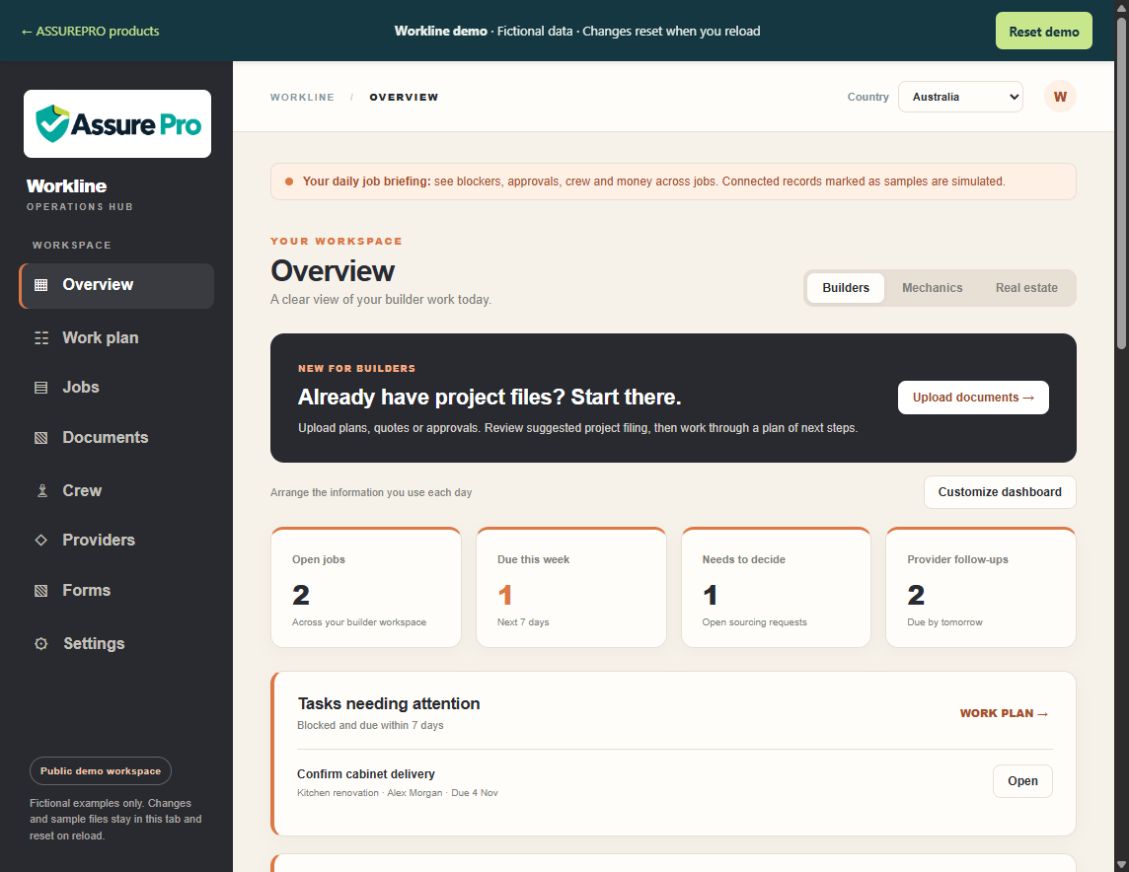
Bring your daily work into one view. Workline helps you organise jobs, tasks and documents so your team can see what needs attention and keep work moving.
No sign-in needed for the fictional demo.
FICTIONAL DEMONSTRATION
Explore the workflow first. We will help you assess whether it fits your team.
Keep jobs and their next tasks visible, so you can plan the working day and follow up what is outstanding.
Bring the relevant people, plans and documents together instead of relying on a handover from memory.
Explore examples for building work, workshops and property management, then discuss the setup that suits your team.
Private web access. Android preview: contact us for access. Contact us to confirm suitability, access and current limits.
Identify the job or project, its people and the documents needed to start.
Break the work into clear tasks and keep the current status visible.
Check outstanding work and supporting documents before the next person takes over.
Use fictional information only. Demo changes are separate from client workspaces.
Keep the information for a task together. As you use the service, compare how long it takes your team to find the right record.
Use an agreed next action and the supporting information to make handovers easier to follow.
Agree the available functions, users, sites and support with us before you commit. Savings depend on your workflow; no measured saving is promised.
The demonstration includes examples for builders, mechanics and real estate. Discuss your own workflow with us before deciding whether the available service fits.
No. It is a separate fictional demonstration. Use sample information only; your service access is arranged separately.
Send an enquiry describing your team and workflow. We will confirm suitability, included functions, onboarding and the current service limits.
Tell us about your work. We will explain the current options, pricing and next step.
Please keep confidential records, health information and passwords out of your enquiry.